Usage Per Account
The Usage Per Account report displays the usage of data and SMS per account during a specified time period. The report includes breakdown per day, provider, country, network and service type.
A screen capture of the Usage Per Account report is shown here.
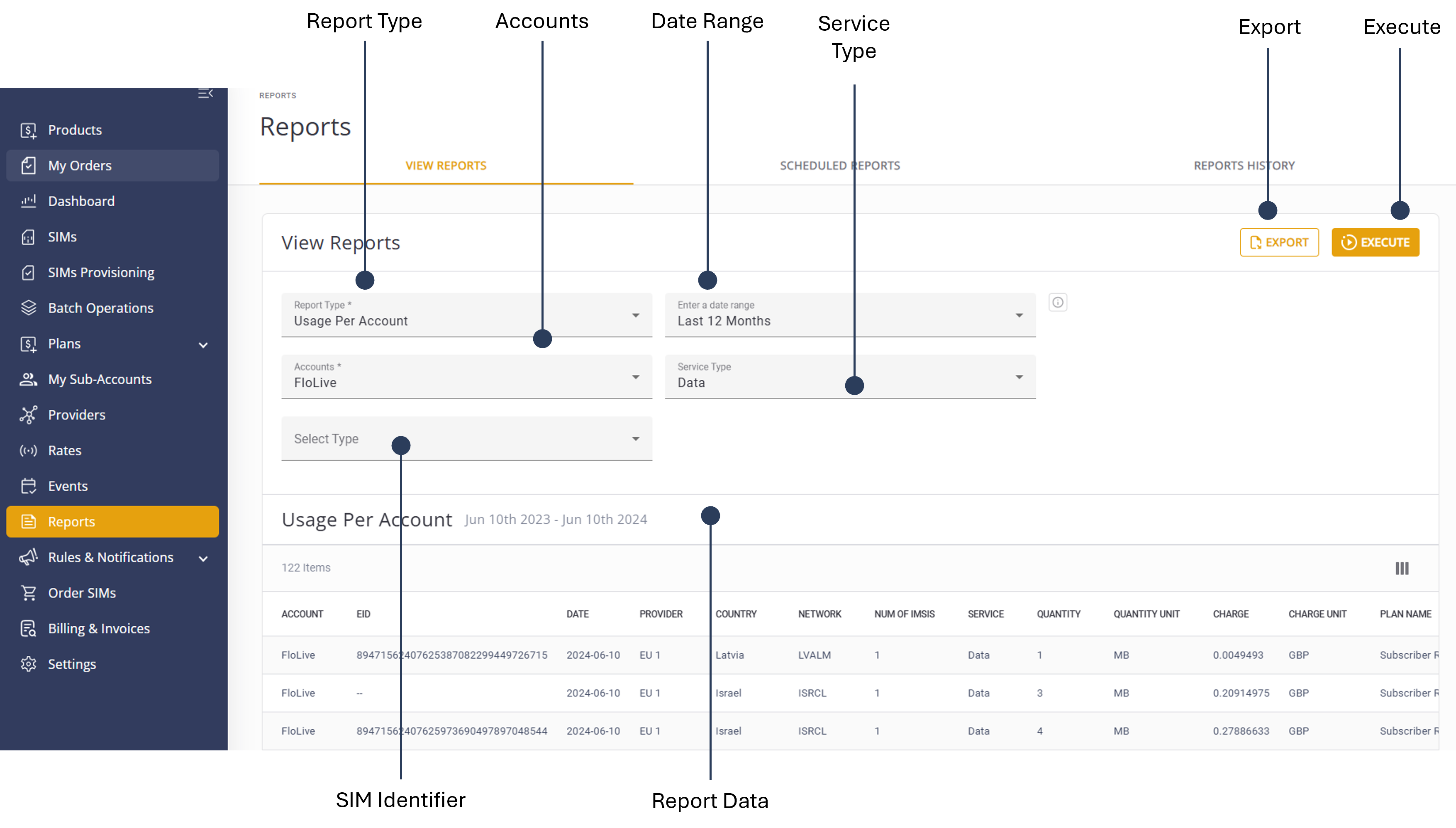
To generate a Usage Per Account report, do these steps:
- Select Reports from the sidebar Menu.
- Select the View Reports tab.
- Report Typeand select Usage Per Account from the list.
- Select one or more Accounts to include in the report.
- Select a SIM Identifier Type (optional).
- Select a Date Range option:
- Today
- Yesterday
- Last 7 Days
- Last 30 Days
- Month-to-date
- Previous Month
- Custom Date
- Select the appropriate Service Type:
- None
- Data
- SMS
- Voice
- Click Execute to generate the report.
- Click Export to download the report in .csv format.
TIP: To edit the report, modify the report filters and click Execute again.
A description of the report parameters is provided in this table.
| Attribute | Description |
|---|---|
| Account | The account in which the service usage was invoked |
| EID | The EID (eUICC SIM ID) if the usage was recorded on an eUICC SIM |
| Date | The date the service usage was invoked |
| Provider | The provider who supplied the service |
| Country | Country where the service was used |
| Network | The network in which the service was used |
| Num of IMSIs | The number of SIMs included in this daily report for this account |
| Service | The service used: SMS, Data or Voice |
| Quantity | The usage volume, without the unit of measurement |
| Quantity Unit |
The unit of measurement per service type is:
|
| Charge/Charge Unit | Charge Amount/Currency |
| Plan Name/Plan Type | The Billing Plan Name and Type attached to this account |
| Parent name | The parent account of this account |